Comtech EF Data CDM-625 Manuale Utente
Navigare online o scaricare Manuale Utente per Apparecchiature Comtech EF Data CDM-625. Data Collection from CDM-625 Field Units Manuale Utente
 1
 2
 3
 4
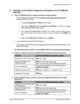 5
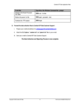 6
 7
 8

File PDF · ·
Sommario
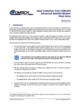
Data Collection from CDM-625 Advanced Satellite Modem Field Units Application Note P/N: AN-625DATACOLL I. Introduction In the event that an…
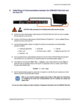
II. Initial Setup of Communications between the CDM-625 Field Unit and the User PC CAUTION: Obey precautions for handling electrostatic-sensitive…
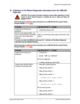
III. Collection of Pre-Reboot Diagnostic Information from the CDM-625 Field Unit CAUTION: The pre-reboot information collection process differs…
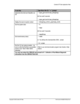
To do this: Type this at the CLI “ ” prompt: Determine that QoS and Classifier are OK ►Now wait 5 seconds Display the reset of system context Get the…
IV. Collection of Post-Reboot Diagnostic Information from the CDM-625 Field Unit A. “Ping” the CDM-625 Field Unit to verify the connection and…
To do this: Type this at the Windows Command-line prompt: Change to the Packet Processor “tffs” folder CMD Retrieve the param1.txt file CMD Terminate…
V. Serial A d a p te r Cable Fabrication Specifications Reference CAUTION: To ensure proper operation, fabrication of this Serial Adapter Cable…
Notes:
Più documenti per Apparecchiature Comtech EF Data CDM-625
 Comtech EF Data CDM-625 Manuale Utente
(684 pagine)
 Comtech EF Data CDM-625 Manuale Utente
(5 pagine)
Domande su Comtech EF Data CDM-625
Non ci sono ancora domande su questo manuale. Fate la prima.
Prodotti e manuali riguardanti Apparecchiature Comtech EF Data CDM-625
- Apparecchiature Comtech EF Data KST-2000A Manuale Utente
 (14 pagine)
- Apparecchiature Comtech EF Data MBT-4000B Specifiche
(88 pagine)
- Apparecchiature Comtech EF Data KST-2000A Manuale Utente
(4 pagine)
- Apparecchiature Comtech EF Data CIC-50 Specifiche
(38 pagine)
- Apparecchiature Comtech EF Data DM240XR Manuale Utente
(2 pagine)
- Apparecchiature Comtech EF Data CDM-700 Specifiche
(266 pagine)
- Apparecchiature Comtech EF Data ODM-840 Manuale Utente
(184 pagine)
- Apparecchiature Comtech EF Data CDM-750 Manuale Utente
(302 pagine)
- Apparecchiature Comtech EF Data SLM-5650A Manuale Utente
(420 pagine)
- Apparecchiature Comtech EF Data CTOG-250 Manuale Utente
(236 pagine)
- Apparecchiature Comtech EF Data CDM-700 Manuale Utente
(256 pagine)
- Apparecchiature Comtech EF Data CDM-760 Manuale Utente
(416 pagine)
- Apparecchiature Comtech EF Data CDM-600/600L Manuale Utente
(278 pagine)
- Apparecchiature Comtech EF Data CDM-570 Manuale Utente
(512 pagine)
- Apparecchiature Comtech EF Data CDM-625 Manuale Utente
(684 pagine)
- Apparecchiature Comtech EF Data CDM-625A Manuale Utente
(756 pagine)
- Apparecchiature Comtech EF Data CDD-562AL Manuale Utente
(240 pagine)
- Apparecchiature Comtech EF Data CDD-562L Manuale Utente
(254 pagine)
- Apparecchiature Comtech EF Data CLO-10 Manuale Utente
(134 pagine)
- Apparecchiature Comtech EF Data CDM-570A Manuale Utente
(618 pagine)